Dashboard
The Dashboard is the first page you see after signing in. It shows which companies you can ask questions about and lists the most recent questions asked. If you haven't added Zynk Insights to your AI assistant yet, press Get connected — see Claude.
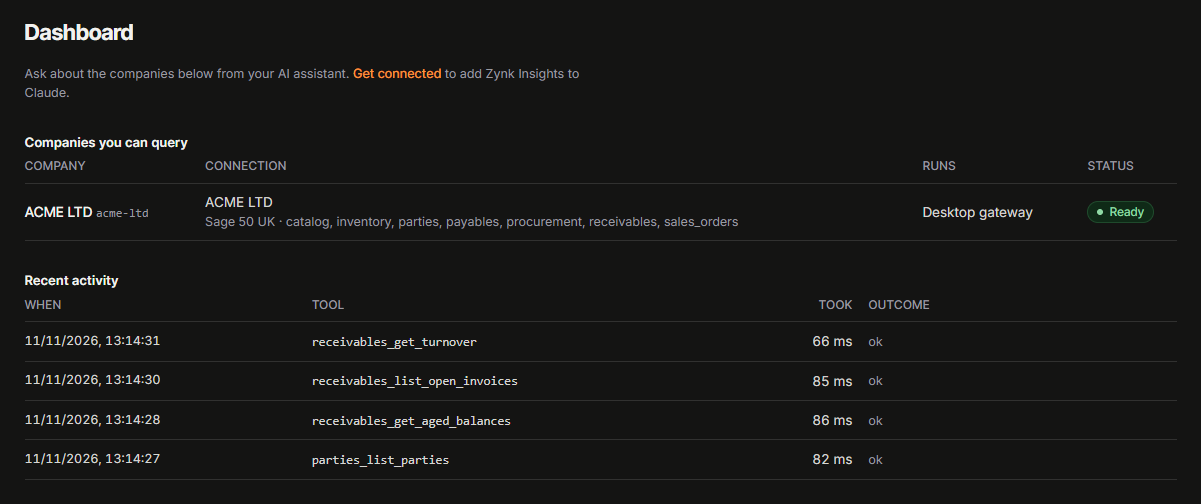
Companies You Can Query
This table lists every Company you have been granted, with each Connection that can answer questions for it.
- Company — the Company name and its code.
- Connection — the Connection's name, its system and the tool groups it answers, for example Sage 50 UK · catalog, inventory, parties, payables, procurement, receivables, sales_orders.
- Runs — Hosted for cloud connections, or Desktop gateway for systems connected through the Zynk Insights Gateway.
- Status — whether questions can be answered right now:
- Ready — everything is working.
- Syncing — the connection is fetching its first copy of your data. Answers will be available shortly.
- Degraded — the connection is working but has reported a problem. Some answers may be incomplete.
- Offline — the desktop gateway serving this connection isn't connected. See Troubleshooting.
- Needs reauth — the connection needs signing in again. Go to Connections and press Reconnect.
If you see No companies granted to you yet, ask an administrator to grant you access on the Users page.
If a Company shows No connection bound, nothing can be answered for it yet. Add a Connection for it.
Recent Activity
The Recent activity table shows the latest questions your AI assistants have asked, with the tool used, how long it took and whether it succeeded. Press All activity to open the full Audit log.