Audit
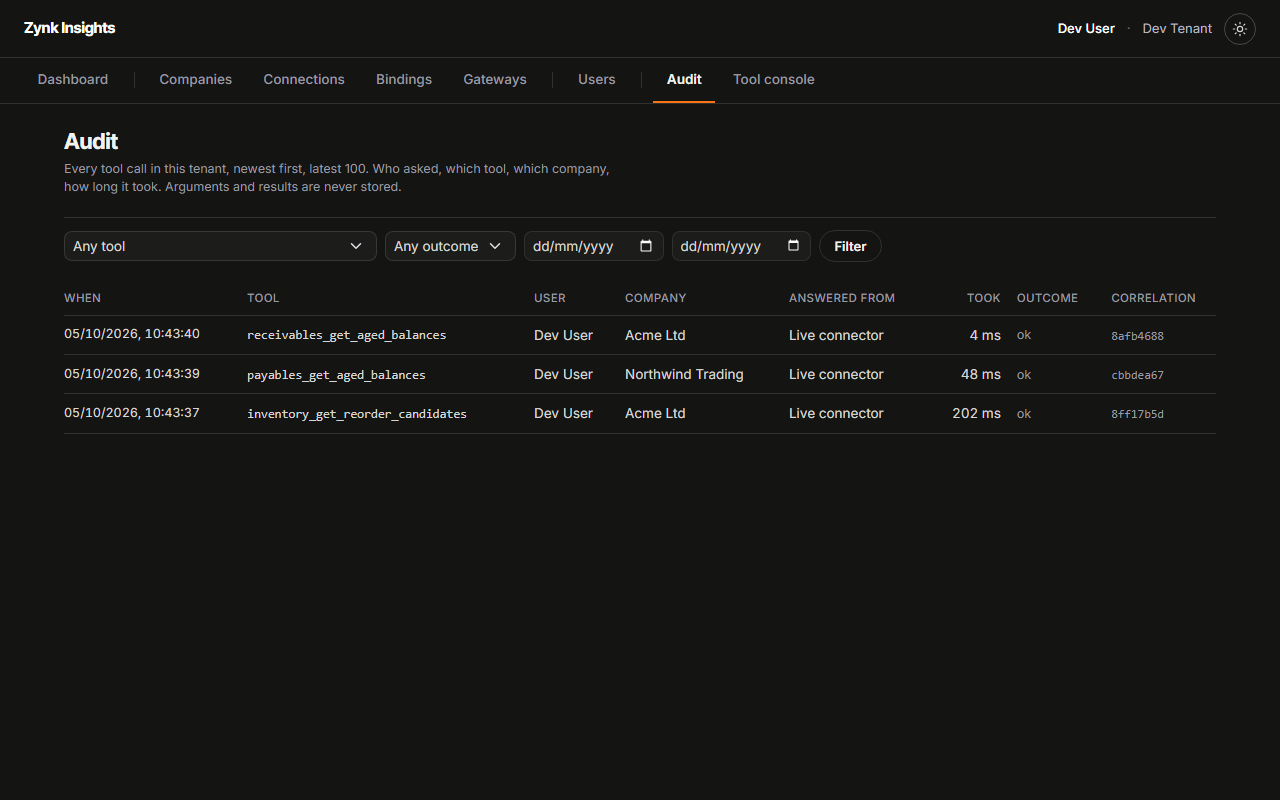
The Audit page lists every tool call made in your account, newest first — who asked, which tool, which Company, and how long it took. It shows the latest 100 calls.
Note
The arguments and results of each call are never stored. Audit records that a question was asked, not what the answer was.
Columns
- When — the date and time of the call.
- Tool — the tool your AI assistant used, for example
receivables_get_aged_balances. See Available Tools. - User — who asked.
- Company — which Company the question was about.
- Answered from — where the answer came from, Live connector (read directly from the system) or Local projection (read from the desktop gateway's local copy).
- Took — how long it took.
- Outcome — ok, or the error code if it failed. See Troubleshooting.
- Correlation — a reference number. Quote it if you contact support about a particular call.
Filtering
Use the filters along the top to narrow the list:
- Any tool — choose a single tool.
- Any outcome — Succeeded or Failed.
- From and To dates.
Press Filter to apply, or Clear to reset.