Desktop Gateway
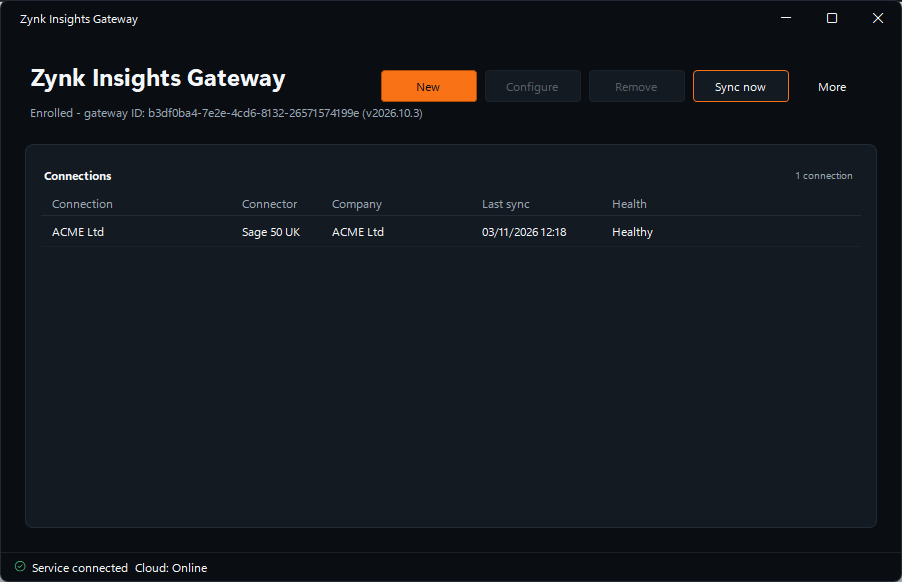
The Zynk Insights Gateway connects Zynk Insights to software that runs on your own computers rather than in the cloud — currently Sage 50 (UK). You install it on the machine that runs Sage 50 (or can open its company files), and it answers your AI assistant's questions from there.
How It Works
The gateway has two parts:
- A Windows service that runs in the background, even when nobody is logged in. It keeps a local copy of your Sage 50 data up to date and answers questions from it.
- A desktop app, Zynk Insights Gateway, which you open from the Start menu to enrol the machine and set up connections. You don't need to keep it open.
The gateway only makes outbound connections to Zynk Insights over HTTPS. You don't need to open any firewall ports, set up port forwarding or use a VPN.
System Requirements
- 64-bit Windows:
- Windows 11 Pro or Enterprise.
- Windows 10 Pro or Enterprise, with Extended Security Updates (ESU).
- Windows Server 2022 or 2025, Standard or Datacenter.
- Windows Home editions aren't recommended for business software.
- 8 GB of memory (16 GB recommended), and an Intel i5 quad-core 2.6 GHz processor or better.
- 10 GB of free disk space, depending on how much Sage 50 data you have. An SSD is recommended.
- Administrator rights to install.
- Sage 50 Accounts (UK) v33 or later, with its 64-bit ODBC driver installed.
- Outbound internet access to
https://insights.zynk.com(including WebSockets towss://insights.zynk.com/hubs/gateway). - The computer's clock set correctly — within a minute of the real time.
- A Zynk Insights Admin account to enrol the machine.
The gateway runs on most virtual machines.
The machine needs to be switched on and connected for your AI assistant to answer questions about that Sage 50 company. While it's asleep or off, those questions report the gateway as Offline, so a server or desktop that stays on is better than a laptop.
What Never Leaves Your Machine
- Your Sage 50 username and password. They are stored encrypted on the machine.
- Your Sage 50 data path.
- The local copy of your data.
The gateway sends Zynk Insights only the answers to questions you ask (with the same size limits as cloud connections), regular health checks, and warning and error messages to help with support. When you set up a connection, it also sends your Sage 50 company name so the matching Company can be created.
Getting Started
- Install the gateway.
- Enrol the machine with your Zynk account.
- Connect Sage 50.
Your gateway then appears on the Gateways page of the portal, and your Sage 50 company on the Dashboard.