Bindings
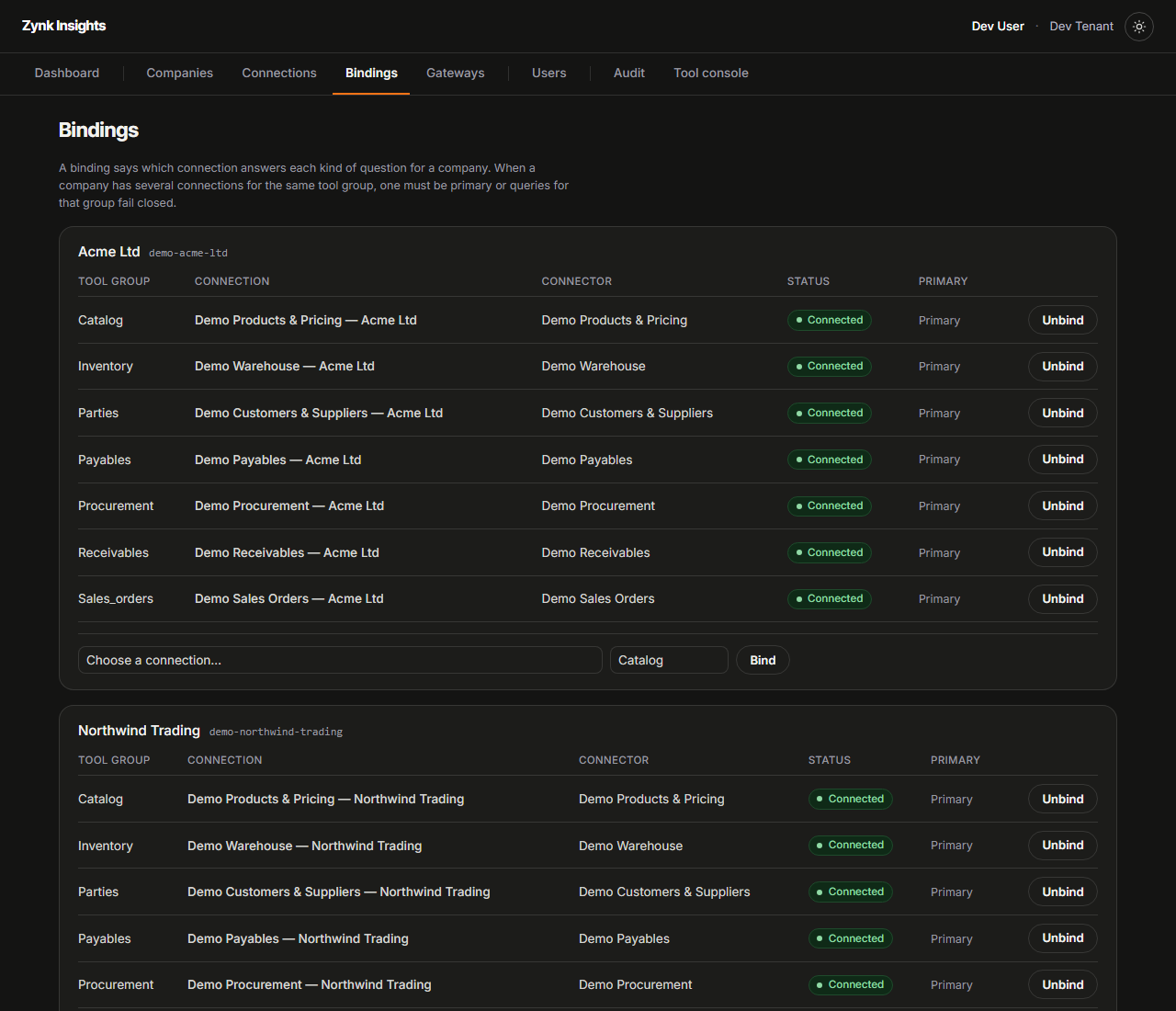
A Binding says which Connection answers each kind of question for a Company. The Bindings page shows one card per Company, listing each tool group and the Connection that serves it.
Most of the time you won't need this page — Bindings are created automatically when you configure Sage 50. Use it when:
- a Company has more than one Connection for the same tool group, and you need to choose which one is used, or
- you've added a Connection by hand and need to attach it to a Company.
Binding List
Each Company card shows:
- Tool group — the area of questions, such as Receivables or Inventory. See How it Works.
- Connection and Connector — which system answers it.
- Status — the Connection's current status.
- Primary — whether this is the Connection used for this tool group.
Choosing the Primary Connection
If a Company has several Connections for the same tool group, one must be primary. If none is, questions for that tool group are refused rather than answered from the wrong place, and the card shows a warning such as Receivables has several connections and no primary.
Press Make primary next to the Connection you want to use.
Adding a Binding
- At the bottom of the Company card, choose a Connection from Choose a connection….
- Choose the tool group.
- Press Bind.
Removing a Binding
Press Unbind to stop a Connection answering a tool group for that Company.