Companies
A Company is a business your AI assistant can answer questions about. Each Company has one or more Connections that supply its data. The Companies page lists them all and lets an admin create, rename and delete them.
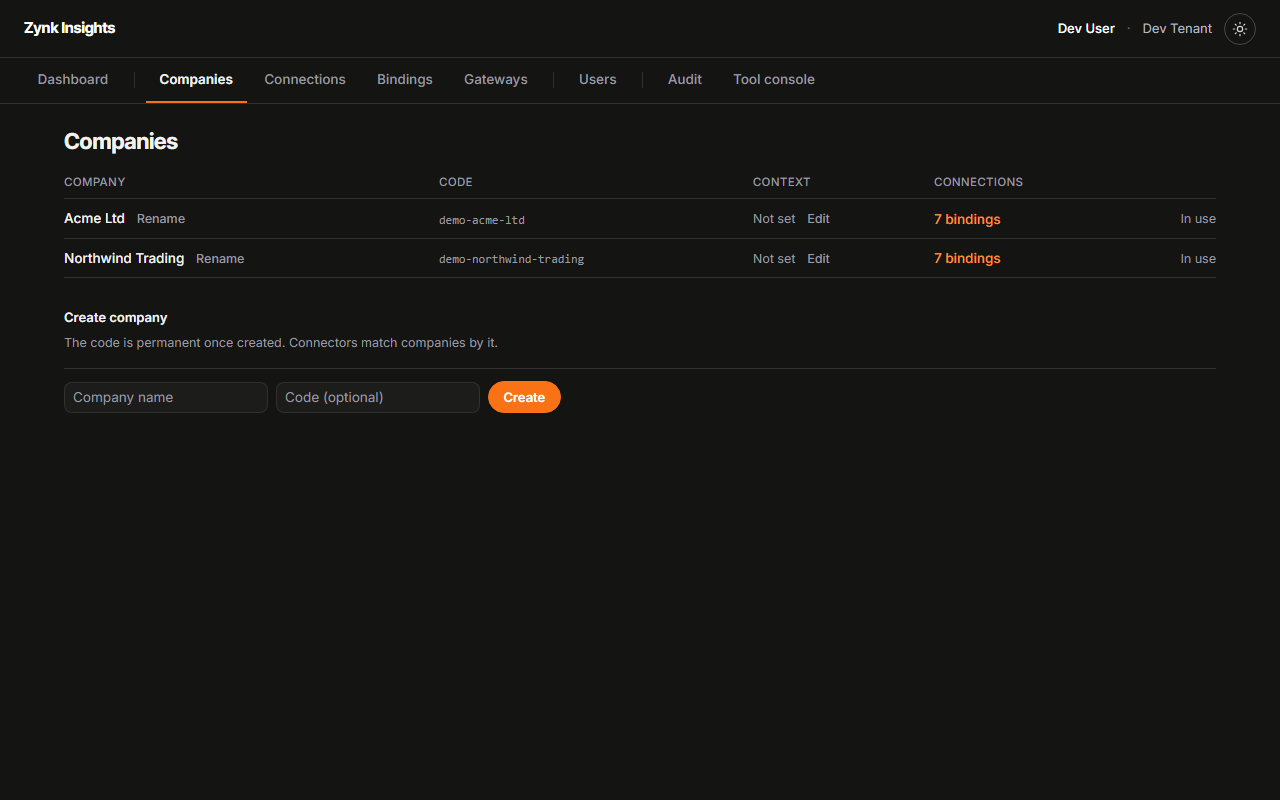
Company List
- Company — the Company name. Press Rename to change it.
- Code — a short permanent identifier, for example
demo-acme-ltd. - Context — the Company's base currency, timezone, fiscal year start and country, for example GBP · Europe/London · FY from 1 Apr · GB. Press Edit to change it.
- Connections — how many Connections are bound to the Company. If there are none you'll see None and a Bind one link to the Bindings page.
Creating a Company
You usually don't need to create Companies yourself:
- Configuring Sage 50 in the desktop gateway creates a Company automatically, named after your Sage 50 company.
To create one by hand:
- Under Create company, enter a Company name.
- Optionally enter a Code. If you leave it blank, one is made from the name.
- Press Create.
Note
The code is permanent once created. Connectors match companies by it, so choose it carefully.
New Companies can be queried straight away by admins. Other users need to be granted access on the Users page.
Company Context
The Company context helps your AI assistant work out dates and amounts correctly — for example what "last quarter" means if your financial year starts in April.
Press Edit to set:
- Base currency — a 3-letter code such as
GBP. - Timezone — for example
Europe/London. - Fiscal year start month and day — set both, or neither.
- Country — a 2-letter code such as
GB.
Then press Save.
Note
Blank fields are filled in automatically the next time the Company's main Connection refreshes. Anything you set here is never overwritten.
Deleting a Company
Press Delete to remove a Company. If the Company still has Connections bound to it, the button shows In use instead — unbind its Connections on the Bindings page first.