Profile
The My Profile page allows you to manage your personal details, and if you're an Owner or Administrator, your Organisation's settings. It can be accessed by clicking the dropdown next to your username and icon in the top right and selecting Edit Profile.
Profile Settings
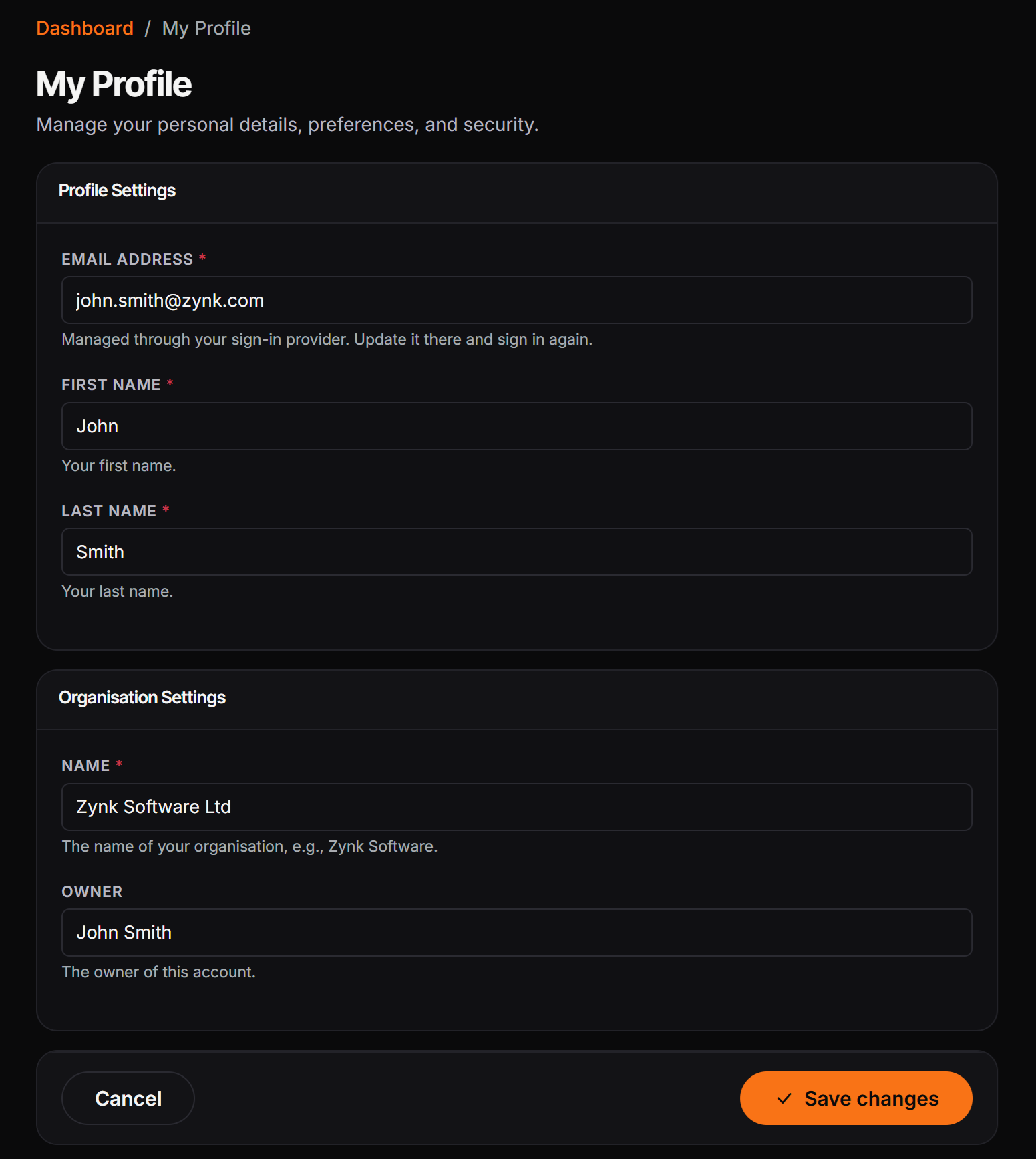
Email Address
The email address associated with your account. This is managed through your sign-in provider, so to change it, update it there and sign in again.
First Name
Your first name, displayed in various places throughout Zynk Autopilot. This can be changed at any time.
Last Name
Your last name, displayed in various places throughout Zynk Autopilot. This can be changed at any time.
Organisation Settings
Only shown to the Owner and Administrators.
Name
The name of your Organisation, displayed in various places throughout Zynk Autopilot. This can be changed at any time.
Owner
The Owner of this account. Clicking on this will bring up a list of all accounts linked to the business. Ownership can be transferred to another user if there are multiple users linked to the business.
Transferring ownership
To hand the account over to someone else, choose them from the Owner dropdown and click Save changes. The new Owner takes over billing, and you'll need to do this before you can remove yourself from the account.
Saving
Click Save changes to save any changes, or Cancel to discard them.
The Profile Menu
The dropdown next to your username also gives you quick access to:
- Settings - Your Organisation and Workspace settings.
- My Users - Manage who has access, on the Users page.
- Billing - Your plan and usage. Only visible to the Owner.
- Help - Starts a guided tour of the page you're on.
- Documentation - Opens these docs.
- Add Workspace - Creates a new Workspace.
- Light mode - Switches between light and dark mode.
- Logout - Signs you out.