Audit Log
Note
The Audit Log is only shown to the Owner of an Organisation.
The Audit Log shows who did what in your account, and when, such as signing out or changing an Agent. Use it to find out who changed something, or to check what happened at a particular time.
To open it, click Audit Log in the menu at the top of the page.
Filters
At the top of the page, you will find:
- Events - Show only one type of event.
- Statuses - Show only events with a specific status.
- Search - Search by user, event or reason.
- Date range - Set a timeframe for the events shown.
- Refresh - Reload the list to show the latest events.
Audit Log Table
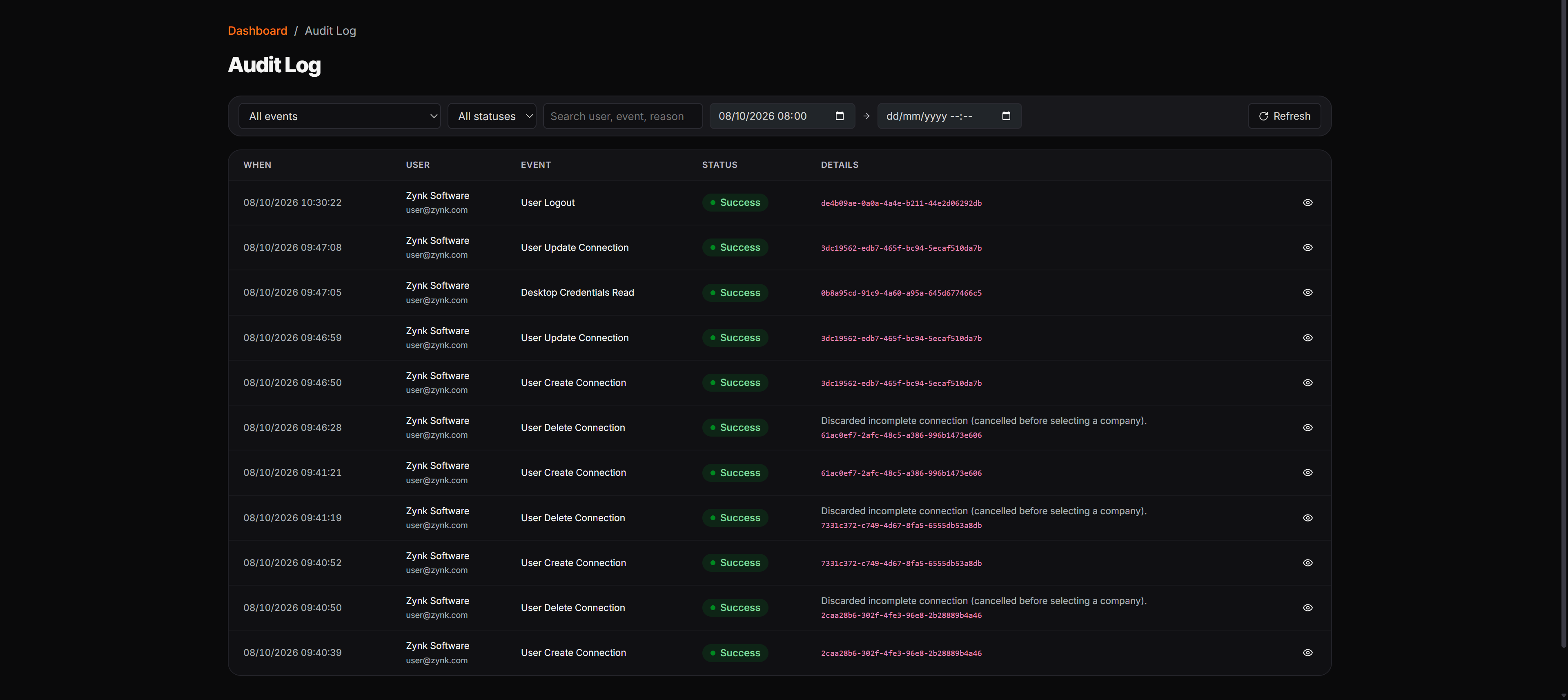
Each event shows the following:
- When - The date and time it happened.
- User - Who did it, with their name and email address.
- Event - What they did, such as User Logout or User Update Agent.
- Status - Whether it succeeded.
- Details - The event's ID. Click the eye icon to see more.
Finding out who changed something
Set Events to the kind of change you're looking for, and use the date range to narrow it down to when it happened. The User column shows who made the change.