AI Assistant
The AI Assistant sets up your integrations for you. Tell it what you want to connect, and it drafts a plan and walks you through connecting your accounts. It also answers questions about Zynk Autopilot from any page.
When you first sign up, this is where you start. You can come back to it any time from Assistant in the top menu, or by clicking Set up with AI on the Agents or Connections page.
Note
The AI Assistant is in beta. Always check the plan and Agent settings it suggests before it builds them.
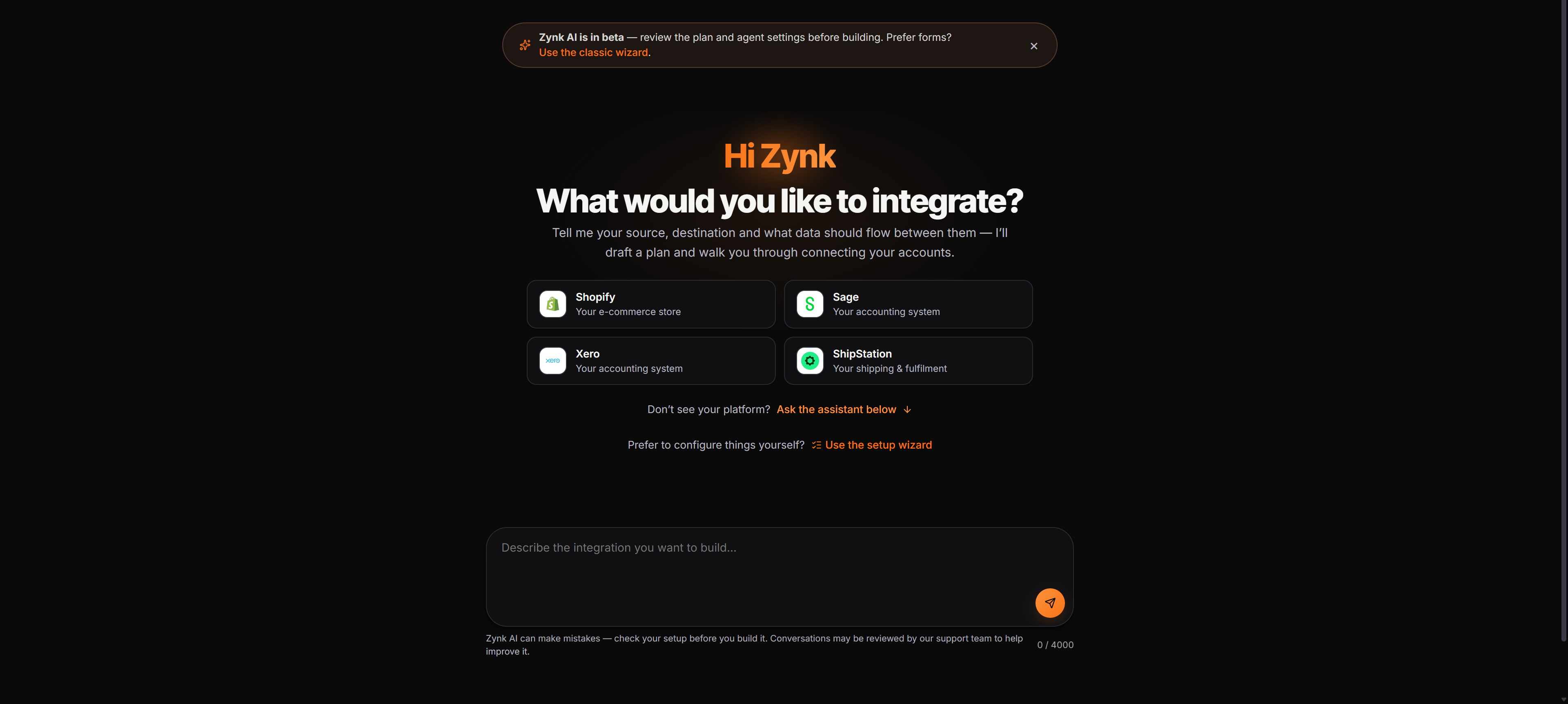
Setting up an integration
- Tell the AI Assistant three things: where your data comes from, where it should go, and what should be synced. For example, "send my Shopify orders to Xero as invoices, and keep stock in sync".
- It drafts a plan, showing the Connections and Agents it will create. Check it looks right.
- Sign in to each system when asked, so it can create your Connections.
- It may ask a few questions about your setup, for example which till your Square sales come from.
You can also pick one of the suggested systems on the start screen to get going.
If you'd rather set things up yourself, click Use the setup wizard to switch to the Setup Wizard.
Getting help on any page
Click Ask AI in the top right of any page to ask a question about Zynk Autopilot, such as what a setting does or why a record hasn't synced.
On an alert, you can also click Ask Zynk AI under Still stuck? for help with that specific problem.
What happens next
Once your Agents are set up, see After you launch for how to check it's working.