Connecting to PayPal via REST
The Export Transactions task in the PayPal connector requires a connection to your PayPal account using REST, so you will need to create a connection of the type 'PayPal' via the Connection Manager. You will see a screen like the one below, requesting your PayPal details:
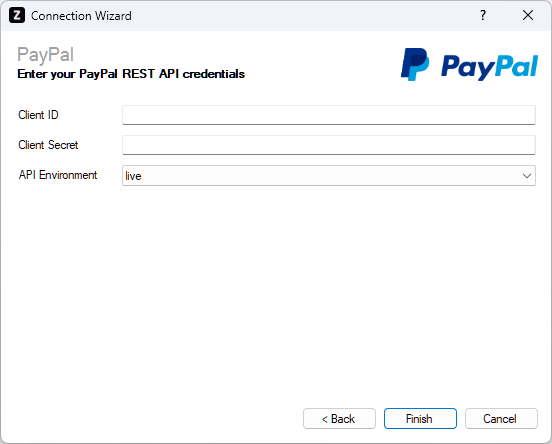
Enter your PayPal details as described below, then click 'Finish' to create the connection.
Client ID
Required
Enter the client ID associated with your PayPal REST API app. It can be found by logging into your PayPal dashboard, and navigating to Apps & Credentials > REST API apps > Default Application.
Client Secret
Required
Enter the client secret associated with your PayPal REST API app. It can be found by logging into your PayPal dashboard, and navigating to Apps & Credentials > REST API apps > Default Application.
API Environment
Required
Choose the environment you would like to connect to. The following options are available:
- live - For connections to a production account
- sandbox - For connections to a test account